Add a place
In the Map & places tab, press + Add place above the place list, or pick a tool such as Pin and click the floor. Click any place in the list or on the map to edit it, and press "All places" to go back to the list. Duplicate copies a place without its position, and Delete place removes it after asking.
Every field of a place
Only the name is needed. Empty fields are simply not shown to visitors.
| Field | What it does | Limit |
|---|---|---|
| Name | Shown in the directory, on the map and in search. | 80 characters |
| Category | Colour, filter chip and group. Pick "No category" to leave it out. | 80 categories per venue |
| Floor | Which floor the place is on. Moving a place to another floor drops a link to an SVG shape. | |
| Unit / room number | Shown in the card and searchable. Also used to link SVG shapes and to match CSV rows. | 20 characters |
| Link name (slug) | The name in the place's own link, #place=coffee-house. Made from the name, and kept unique. | 60 characters |
| Logo | A small image from the Media Library, shown in the list and card. | 1 |
| Photos | Shown in the place card. Their alt text comes from the Media Library. | 8 |
| Description | Text in the card. Simple HTML such as links and bold is allowed. | 4,000 characters |
| Opening hours | One box per day, plus a note. See below. | 3 time ranges a day |
| Note | A short line under the hours, for example "Holiday hours may vary". | 80 characters |
| Phone, Email | Become Call and Email buttons in the card. | Phone 40 characters |
| Website or page link | A Website button. Full addresses or links on your own site such as /menu/. | |
| Tags | Comma separated words visitors can search, such as coffee, wifi. | 15 tags, 30 characters each |
| Featured | The place's name is always shown on the map, even when labels would not fit. |
Categories and amenities
Categories live in their own tab. Each has a name, a colour and an optional icon. Press "Add common mall categories" to get Fashion, Food & drink, Cafes, Beauty & health, Electronics, Home, Services and Entertainment, plus the amenities Toilets, Lifts, Escalators, ATM, Information and Exits.
Tick Amenity on a category for things like toilets and lifts. Places in an amenity category show as icon pins on the map and stay out of the A-Z list, but visitors can still search for them. The icons you can pick are shop, food, cafe, toilet, lift, escalator, stairs, ATM, info, parking, exit, first aid, baby, wifi, gate, room, star and bus.
Deleting a category keeps its places. They just have no category until you pick a new one.
Opening hours
Type each day's hours in its box. Venue Map reads most ways people write times and turns them into a 24 hour form when you leave the box. Leave a day empty when you do not know it.
| You type | Saved as | Visitors see (24 hour clock) |
|---|---|---|
10:00-21:00 | 10:00-21:00 | Open · Closes 21:00 |
9am-5pm | 09:00-17:00 | Open · Closes 17:00 |
10-21 or 10.00-21.00 | 10:00-21:00 | Same as above |
10:00-14:00,15:00-20:00 | Two ranges (a split shift) | Closed · Opens 15:00 during the break |
18:00-02:00 | Past midnight | Open at 01:00 the next morning, Closes 02:00 |
closed, x or - | closed | Closed, and when it opens next |
24h, 24 or 24/7 | 24h | Open 24 hours |
Two buttons save typing. Copy Monday to every day copies Monday's hours to the whole week. Paste a week takes a line like Mon-Fri 10-21; Sat 10-22; Sun closed, or Daily 9-17, and fills in the days for you.
How "Open now" works
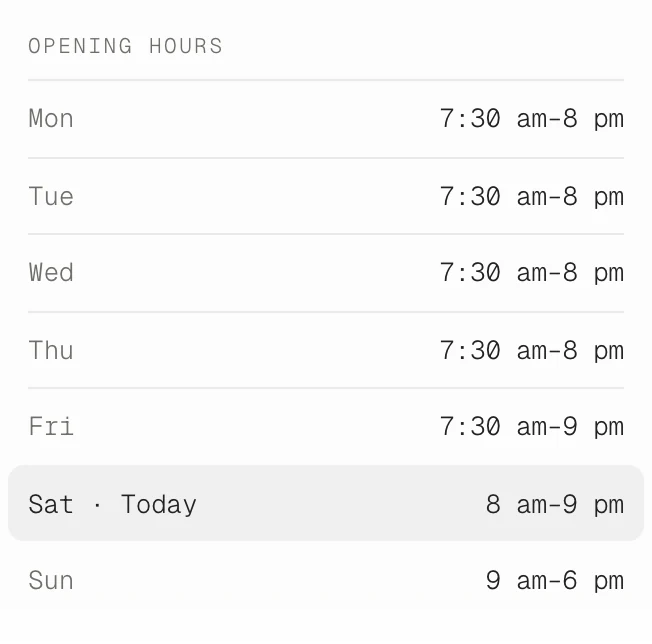
The open or closed line is worked out in the visitor's browser from your site's time zone (Settings, General in WordPress), not the visitor's own. If your site's time format has am or pm in it, times show on a 12 hour clock, otherwise 24 hour. The directory also gets an Open now filter and a count of places open now. To hide hours everywhere, untick "Show opening hours and Open now" in the venue's Settings tab.
This is the same feature the mall directory demo shows live, and it is why an office building directory can show reception hours per tenant.
Related docs
- Draw shapes, boxes and pinsPut places on a floor picture with the Pin, Draw shape and Box tools, move corners, zoom the builder and undo with Ctrl+Z.
- Link SVG shapes to placesLink the named shapes of an SVG floor plan to places in one click, create places from shapes, or link one shape at a time.
- CSV import and exportThe exact CSV columns Venue Map reads and writes, how rows update existing places, an example file and the JSON backup.
- Share links to a placeEvery place has its own link: add #place=slug to the page address. Visitors copy it with the Share button in the place card.