Venue Map for WordPress$149/yr 1 siteBuy now
Venue Map · WordPress plugin

Interactive floor plan and venue directoryfor WordPress

Visitors search for a shop, room or gate, and the map switches to the right floor and shows it.

Try it in your browserPay yearlyMaps keep working
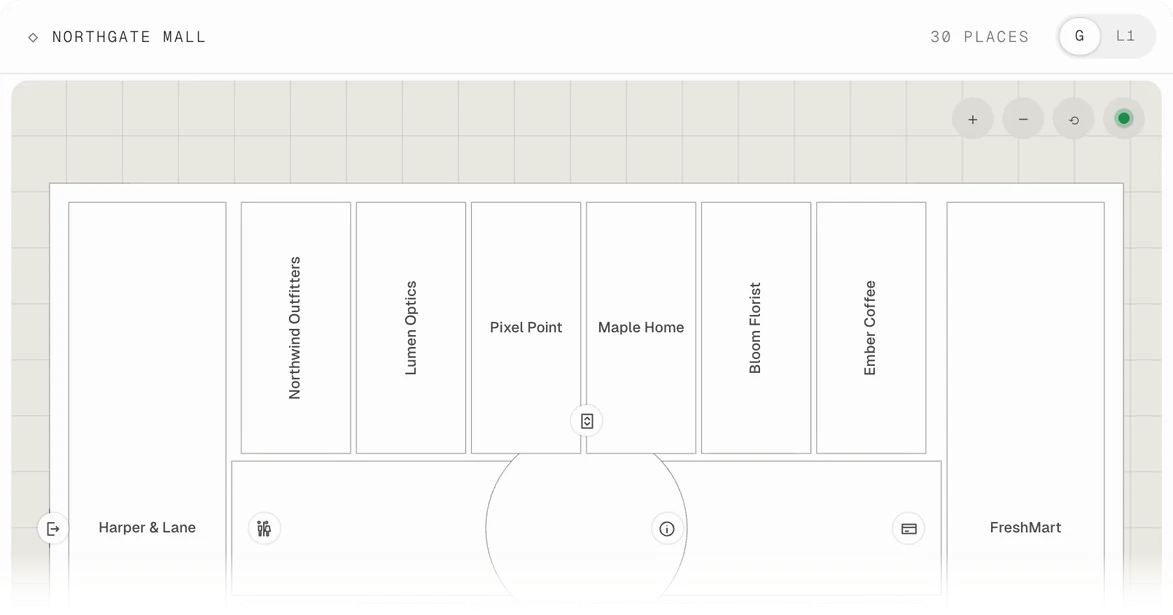
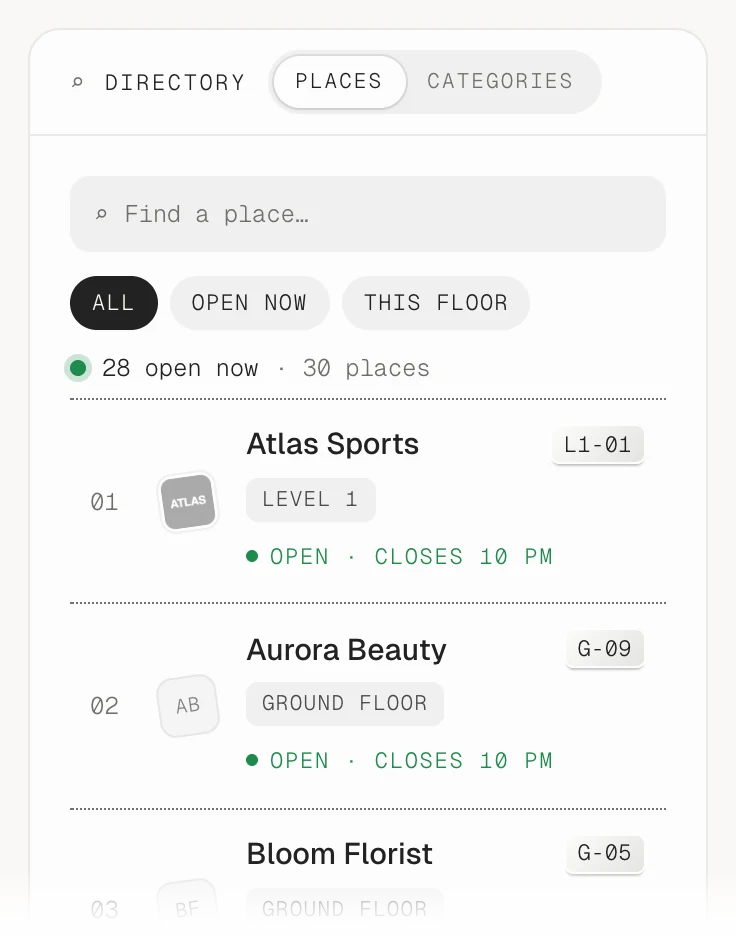
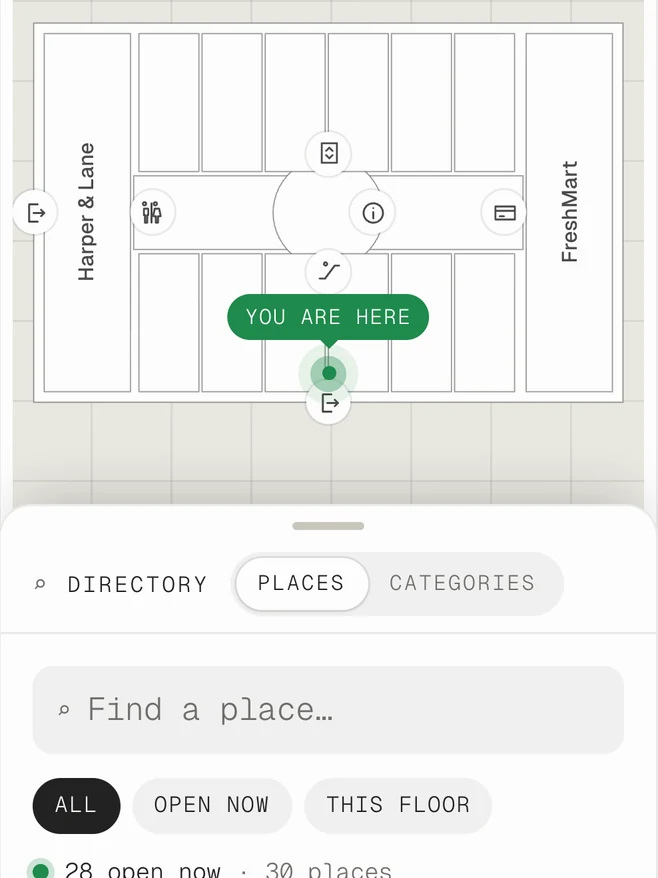
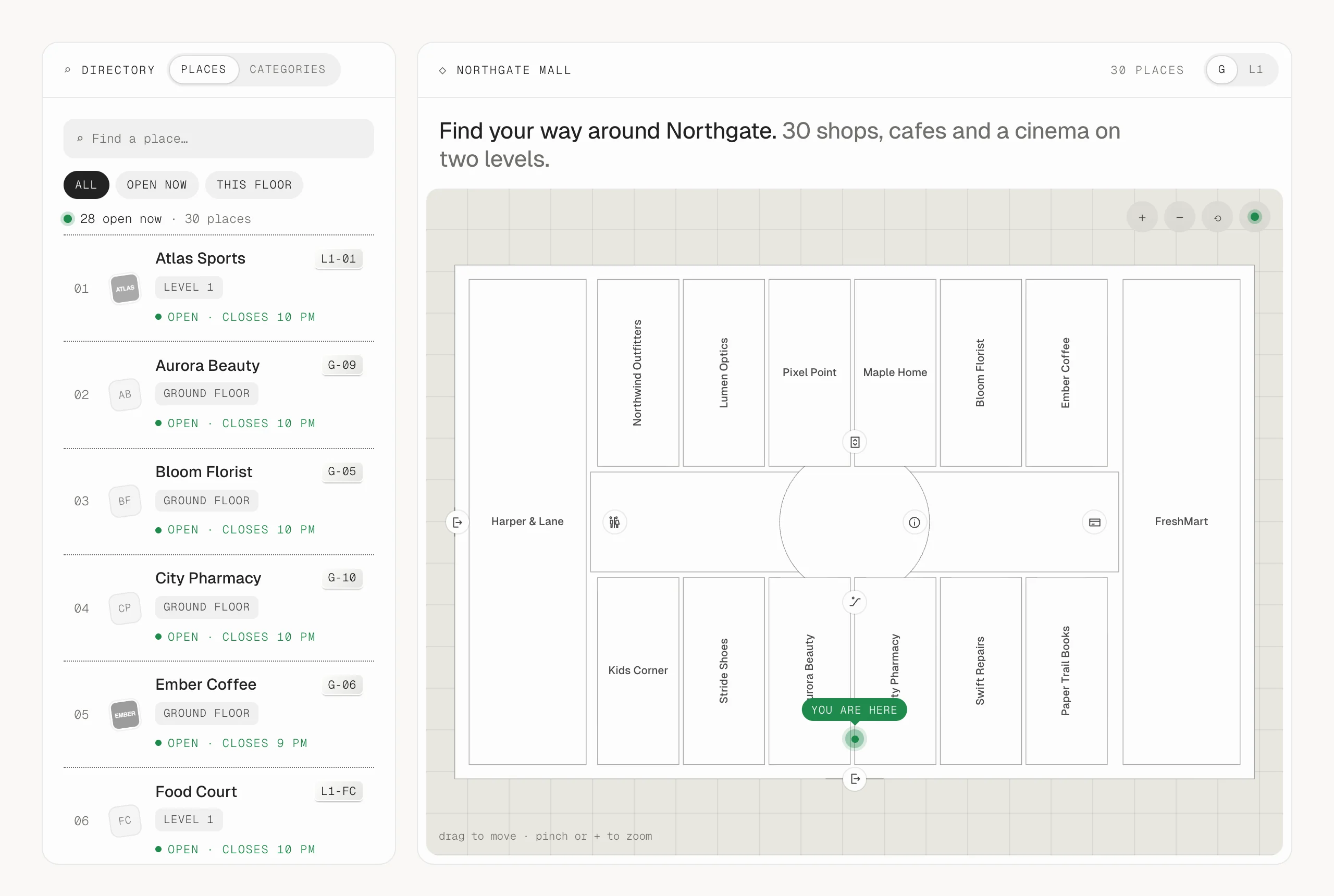
A mall map: directory with search, Open now and This floor beside the ground floor plan
In short

What is SpotThemes Venue Map?

Visitors search for a shop, room or gate, and the map switches to the right floor and shows it.

SpotThemes Venue Map adds an interactive floor plan and a searchable venue directory to WordPress, for malls, campuses and buildings. Upload a floor plan per floor, place your shops, rooms or gates on it, and visitors search, pick a category and see live opening hours. It makes no outside requests and has no tracking. Plans are billed yearly from $149 a year for 1 site, and you can try the builder demo in your browser before you buy.

  • PriceFrom $149 a year, billed yearly
  • Sites1, 5 or unlimited sites
  • You get17 features, listed below
Features

Everything you need. Nothing you don't.

Six things the plugin does on your site. The list further down shows everything you get.

A plan per floor: the real plugin screen

A plan per floor

Upload a picture or an SVG plan per floor. Visitors switch floors with one tap.

Searchable directory: the real plugin screen

Searchable directory

Search by name, unit, tags or category, with category chips and this floor only.

Find it on the map: the real plugin screen

Find it on the map

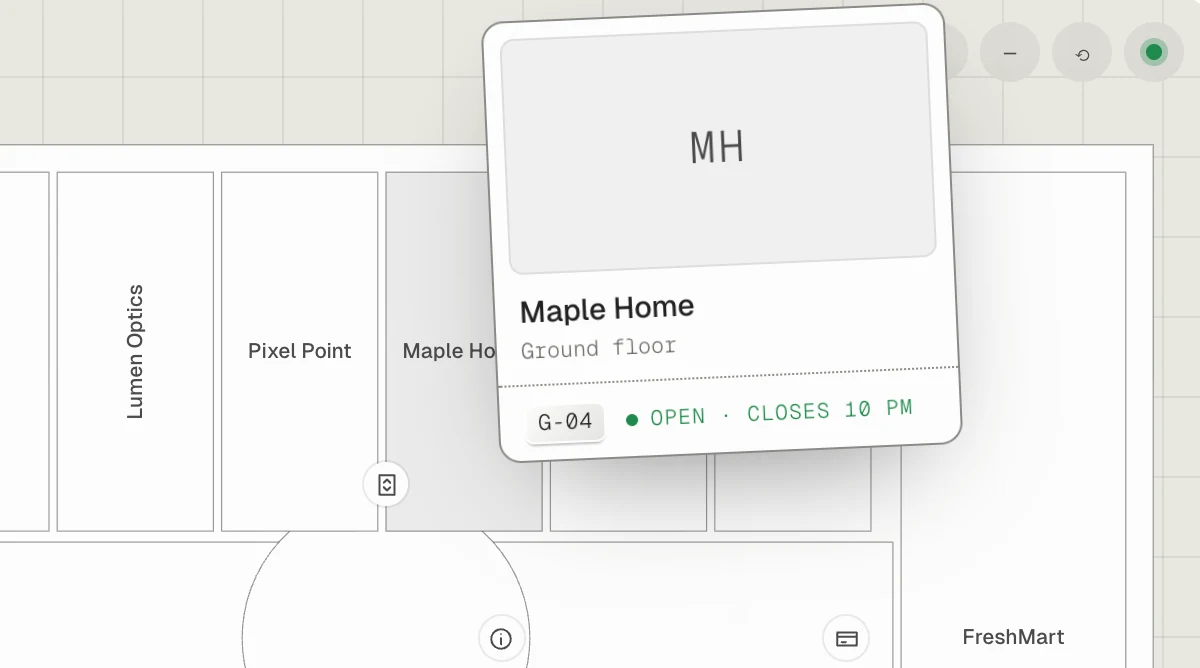
Click a place in the list and the map switches floor, zooms and highlights it.

Live opening hours: the real plugin screen

Live opening hours

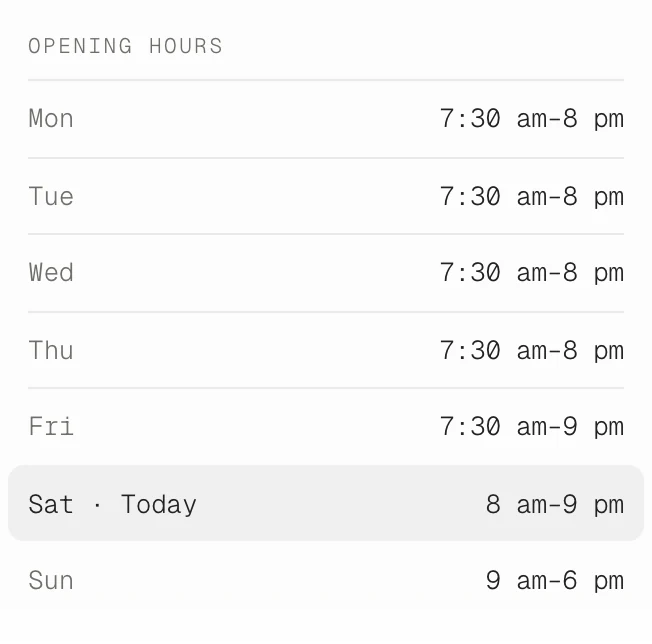
Open now and closing time in your site's time zone, with split shifts and hours past midnight.

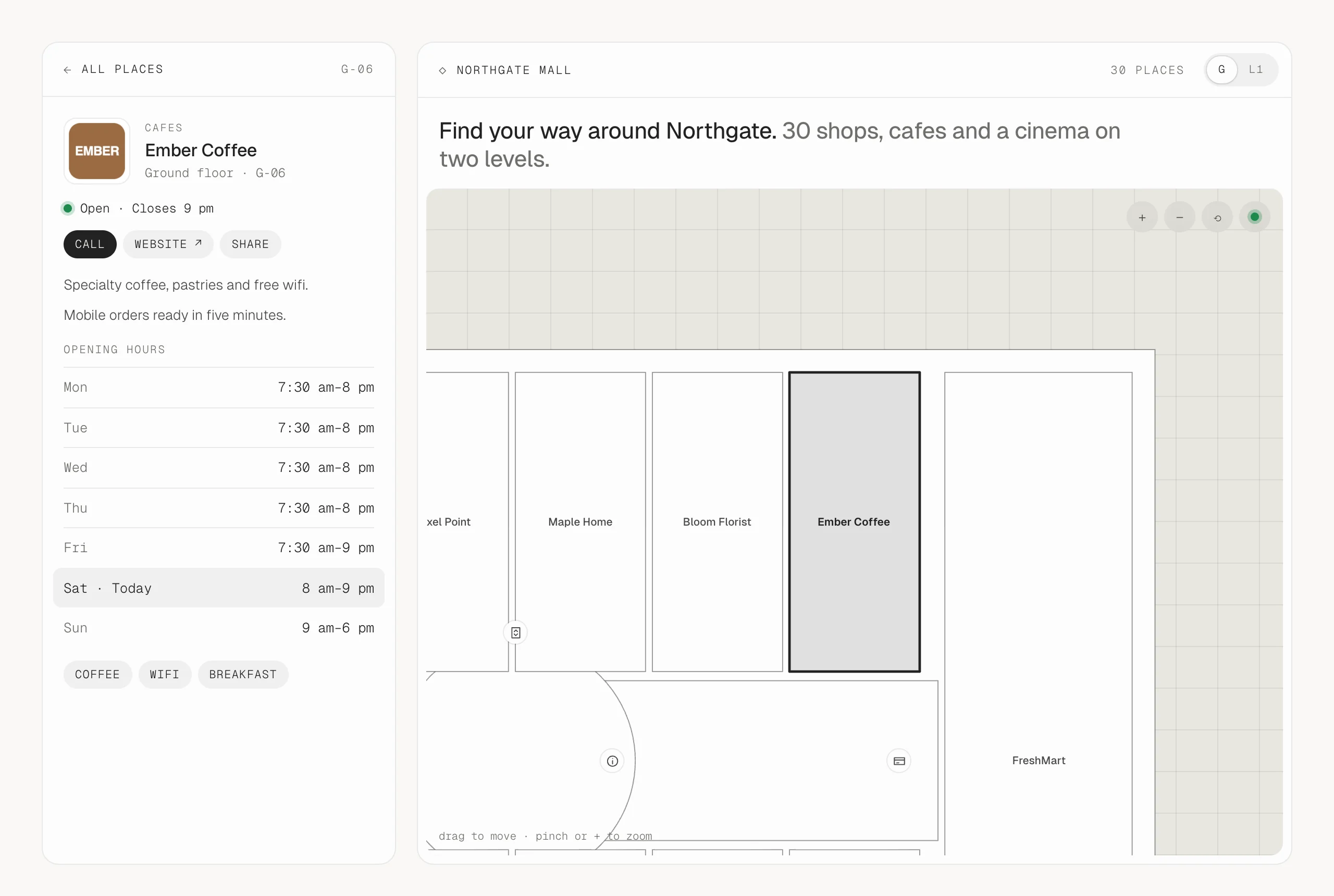
A card for every place: the real plugin screen

A card for every place

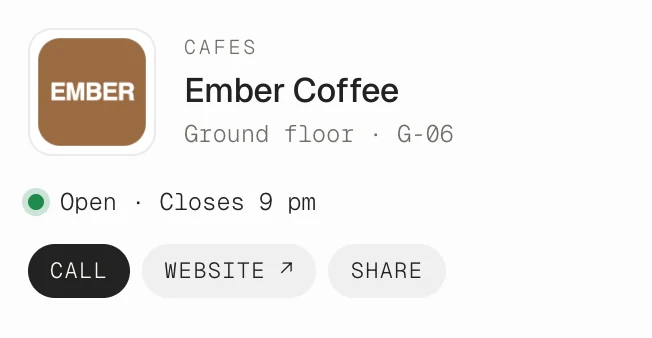
Logo, unit, hours, phone, website and a Share link. Click the map and the card opens.

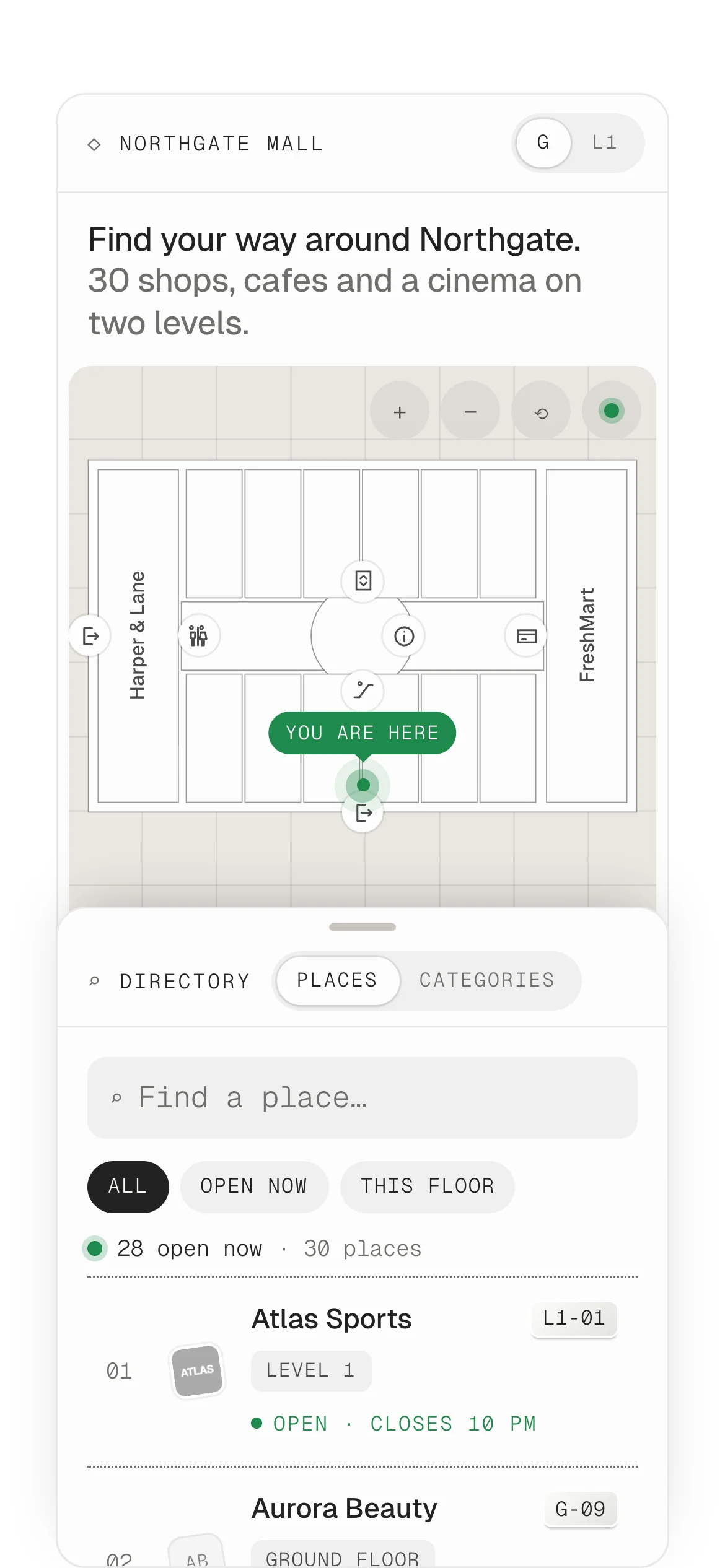
Made for phones: the real plugin screen

Made for phones

A full-size map with the directory as a bottom sheet.

How it works

Three steps. No code.

From install to a live page. Each step takes a minute or two. Read the docs for every step. Using an AI app? See the AI setup guide.

1

Install and add your key

Upload the plugin, activate it and paste your licence key in Settings & license.

2

Add floors and places

Add a floor plan, then place your shops with the tools above the map, or import a CSV.

3

Place the map

Add the Venue map block, the Elementor widget or the shortcode to a page.

Venue Map: from $149 a year. Try the builder in your browser first.

Buy now · $149/yearTry the builder
What you get

Every feature. Every plan.

Every plan has all of this. You only pick how many sites.

What you get
Floor plans as a picture or SVG, one per floor
Places as SVG shapes, drawn shapes, boxes or pins
Name, logo, category, unit, hours, phone, email, website, photos and tags
Search by name, unit, tags or category
Category chips, A-Z or grouped by category, this floor only
Click a place and the map switches floor, zooms and highlights it
Live Open now in your site's time zone
12 or 24 hour clock, hours past midnight, split shifts
A link and a Share button for every place
You are here points for kiosks, entrances and QR code signs
Amenity icons: toilets, lifts, escalators, ATMs, exits, parking
Phones: full-size map with the directory as a bottom sheet
CSV import and export, full JSON backup
Block, shortcode and Elementor widget
Keyboard and screen reader friendly, works without JavaScript
Light, dark and automatic styles
No outside requests, no tracking
Buy

Ready when you are.

Pick how many sites, pay yearly, and your licence key arrives by email.

A WordPress plugin by SpotThemes

Get Venue MapPick your sites. Pay yearly.

Upload a floor plan per floor and place your shops, rooms or gates on it. You get a searchable directory beside the map, with live opening hours.

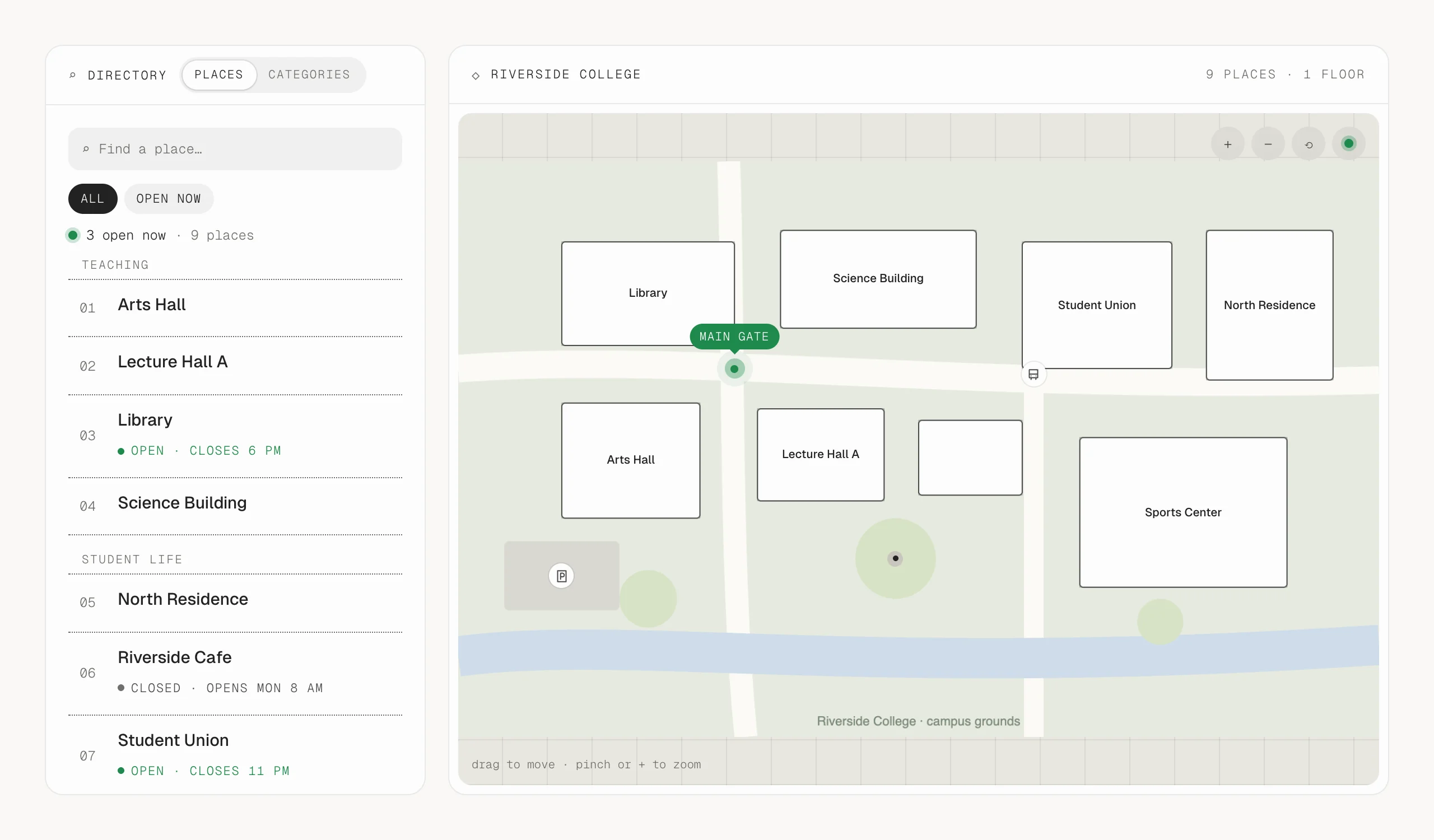
A mall map: directory with search, Open now and This floor beside the ground floor planEmber Coffee's place card with opening hours, and the shop highlighted on the mapA college campus map with buildings grouped by Teaching and Student lifeThe mall map on a phone with the directory as a bottom sheet

Showing: Mall directory · 4 pictures

149USD / year$199Launch price
Sites1 site
BillingYearly

Billed yearly, cancel any time. Checkout opens on Polar's secure page. Your key arrives by email.

  • Works with: Block, shortcode, Elementor widget
  • Floors: A picture or SVG plan per floor
  • Directory: Search, category chips, this floor only
  • Hours: Live Open now in your time zone
  • Fixes: Included while your plan is active
  • Licence: Move it to a new site anytime

What you get

  • Floor plans as a picture or SVG, one per floor
  • Places as SVG shapes, drawn shapes, boxes or pins
  • Name, logo, category, unit, hours, phone, email, website, photos and tags
  • Search by name, unit, tags or category
  • Category chips, A-Z or grouped by category, this floor only
  • Click a place and the map switches floor, zooms and highlights it
  • Live Open now in your site's time zone
  • 12 or 24 hour clock, hours past midnight, split shifts
  • A link and a Share button for every place
  • You are here points for kiosks, entrances and QR code signs
  • Amenity icons: toilets, lifts, escalators, ATMs, exits, parking
  • Phones: full-size map with the directory as a bottom sheet
  • CSV import and export, full JSON backup
  • Block, shortcode and Elementor widget
  • Keyboard and screen reader friendly, works without JavaScript
  • Light, dark and automatic styles
  • No outside requests, no tracking

After you pay

  1. Pay yearly, right on this page.
  2. Your licence key arrives by email.
  3. Install the plugin, paste the key, and you are done.

Requirements

WordPress 6.5 or newer, PHP 7.4 or newer.

Venue Map: from $149 a year. Try the builder in your browser first.

Buy now · $149/yearTry the builder
Questions

Before you buy.

Something else? Email [email protected].

About the plugin

What can I map with it?

Malls, campuses and buildings. Upload a floor plan per floor, then place your shops, rooms or gates on it.

How do I link SVG shapes to shops?

Give each shape an id or title in your design app, for example the unit number G-12. After upload, press Link shapes to places by unit or name, or Create places from named shapes.

Can visitors get directions from A to B?

Not yet. Routes are planned for a coming version.

Does it work on phones?

Yes. Phones get a full-size map with the directory as a bottom sheet.

Can I add many places at once?

Yes. Import a CSV file. You can also export to CSV and make a full JSON backup.

What if my licence key is no longer active?

Maps already on your site keep working. Editing maps and getting fixes need an active plan.

Paying and licence

Is this a subscription?

Yes. Plans are billed yearly and you can cancel any time.

Can I try it before I buy?

Yes. Open the builder demo at /venue-map/demo/ and build a sample map in your browser, or try the live demos on the use-case pages.

What happens to my site if I stop paying?

Maps already on your site keep working. Editing maps and getting fixes need an active plan.

Do test and staging sites count?

No. Test and staging sites are free and do not use up a site.

How do I get updates?

While your plan is active, download the newest zip from your Polar account and upload it in WordPress. Your settings stay.

Can I move my licence to another site?

Yes. Deactivate the key on the old site, then activate it on the new one.

Do you give refunds?

Try the builder demo before you buy. We don't refund a change of mind after download. If a confirmed bug stops the plugin working on your site and we can't fix it, email [email protected] within 14 days of purchase and we will refund you.

How do I get help?

If something breaks, email [email protected].